 Skip to content
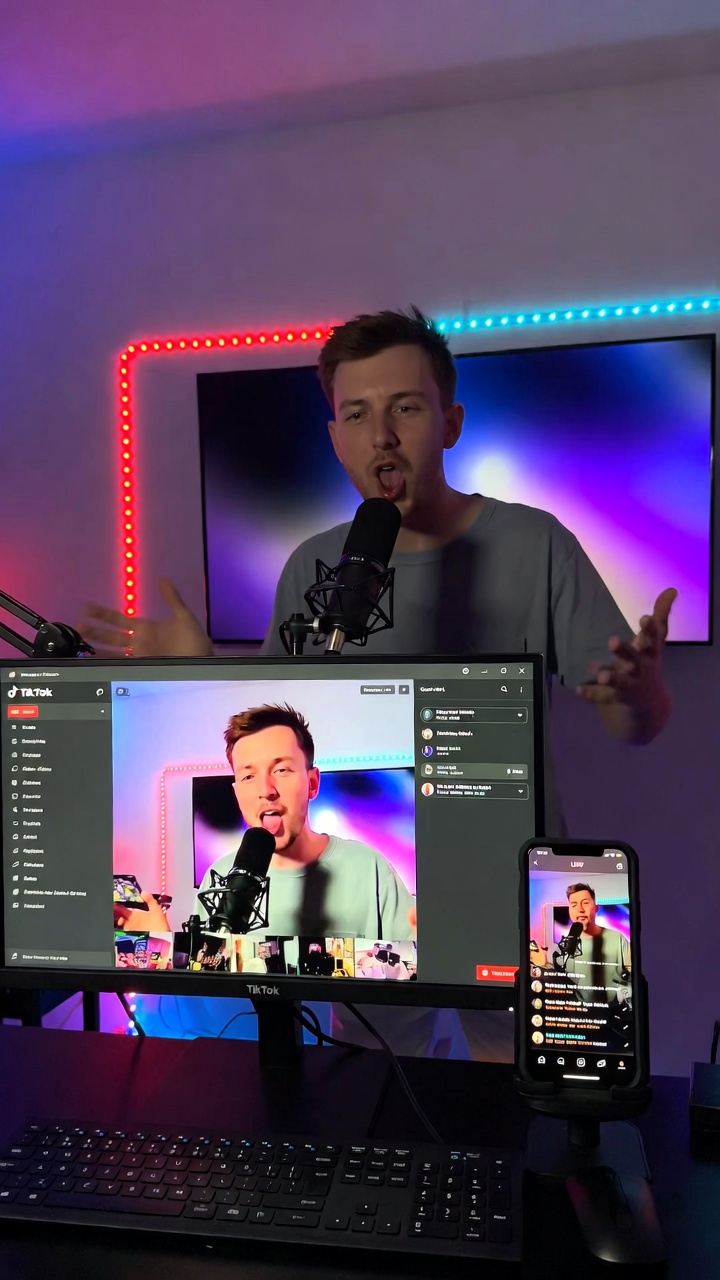
TikTok Lives have evolved from casual broadcasts into powerful real-time experiences that drive massive engagement, sales, and creator income. In 2026, with TikTok’s global user base approaching 1.9 billion and live shopping exploding, a single well-executed Live can generate hundreds or even thousands of dollars in gifts while converting viewers into loyal buyers and subscribers.
Half of all TikTok users have already made a purchase after watching a Live stream. That’s not hype—it’s the new reality of social commerce. Whether you’re a beginner wondering how to unlock the feature or a seasoned creator looking to scale earnings, this guide delivers everything you need: exact requirements, step-by-step instructions, pro setups, monetization strategies, 2026 trends, and battle-tested tips.
What Are TikTok Lives and Why They Outperform Pre-Recorded Videos in 2026
TikTok LIVE lets creators and viewers connect in real time through chat, virtual gifts, multi-guest co-hosting, effects, polls, and interactive tools. Unlike polished videos, Lives create instant FOMO (fear of missing out), build authentic community, and let the algorithm push your stream to both followers and new viewers via Live tabs and For You recommendations.
In an era of AI-generated content fatigue, authenticity reigns. TikTok’s 2026 trends emphasize “Irreplaceable Instinct” and emotional connection—exactly what Lives deliver. Viewers stay longer (often 30–60+ minutes), engage more deeply, and spend money directly in the app.
Who Can Go Live on TikTok? 2026 Eligibility Requirements
You need just two things to unlock basic LIVE access:
- Be at least 18 years old
- Have at least 1,000 followers (this can vary slightly by region)
For monetization through LIVE Gifts, you must also be 18+ (or 19 in South Korea), live in a supported country, and keep your account in good standing.
Pro tip: The 1,000-follower threshold is achievable faster than you think. Focus on consistent short-form posting in a clear niche—many creators hit it in 2–6 weeks with daily content.
Note: TikTok Creator Rewards Program (formerly Creator Fund) has higher bars (10,000 followers + 100,000 views in 30 days), but you can start earning from gifts much earlier.
How to Go Live on TikTok: Step-by-Step (Mobile + Advanced 2026 Setups)
Mobile (Fastest Way for Beginners)
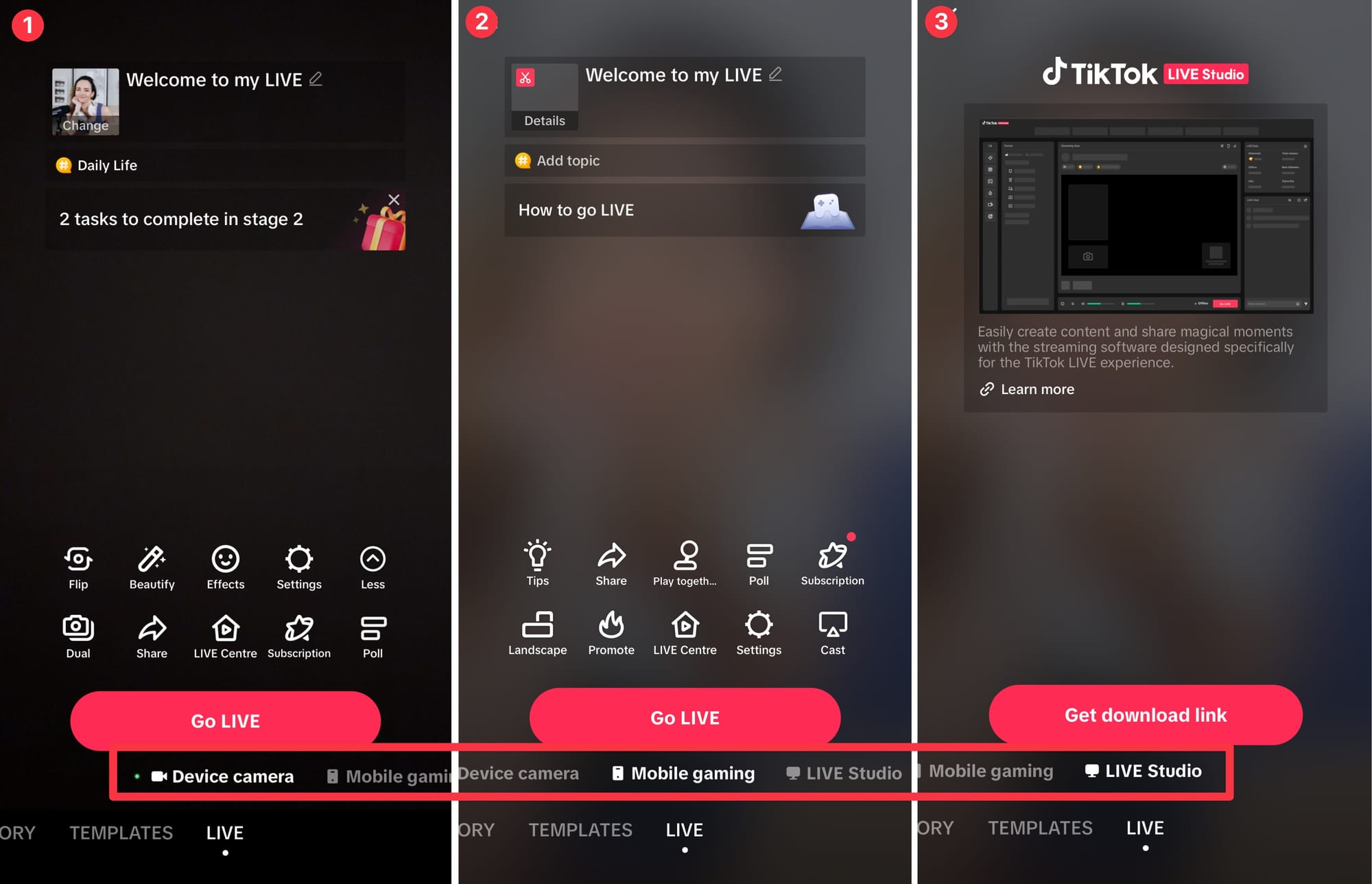
- Open the TikTok app and tap the + button at the bottom.
- Swipe left or scroll to LIVE (you may need to scroll across the options).
- Add a compelling title (e.g., “Q&A: Ask Me Anything About Fitness + Live Shopping!”).
- Customize tools: effects, dual camera, beauty filters, polls, or guest invites.
- Tap Go LIVE — you’re on air!
You can adjust settings (including safety filters and moderation) mid-stream by tapping More → Settings.
How to Go Live on TikTok (+ Why You Should)
Pro Setups for Higher Production Value (2026)
- TikTok LIVE Studio (free desktop app): Perfect for gameplay, screen sharing, overlays, alerts, and multi-camera. Download from TikTok’s site, log in, and build scenes.
- OBS Studio or Streamlabs + Stream Key: For ultimate control. Many creators now access stream keys through free creator networks/agencies (no follower requirement in many cases). Great for vertical + horizontal simultaneous streams or complex overlays.


How to Monetize TikTok Lives: The 2026 Playbook
LIVE Gifts remain the fastest path to direct earnings. Viewers buy coins and send virtual gifts (roses, lions, rockets, etc.). You receive ~50% of the value as Diamonds, which cash out to PayPal or bank (minimum payout ~$50–$100 depending on region). A 30-minute stream with an engaged audience can easily bring $50–$500; top creators clear thousands per session.

Explained: This is exactly how TikTok gifts work when creators go live
Other powerful streams:
- LIVE Shopping & TikTok Shop: Demonstrate products live → instant purchases. TikTok Shop generated over $15 billion in U.S. sales in 2025 and keeps growing.
- LIVE Subscriptions: Fans pay monthly for exclusive badges, emotes, and private content.
- Brand Collabs & Affiliates: Live product demos or sponsored segments command premium rates.
Realistic earnings examples (2026):
- Small creator (10k–50k followers): $500–$3,000/month from gifts + shop commissions
- Mid-tier (100k+ followers): $10,000–$30,000+/month combining everything
10 Pro Tips to Host Successful TikTok Lives in 2026
- Promote 24–48 hours in advance — Post teaser videos and pin your Live schedule in bio.
- Hook in the first 30 seconds — Strong title + energetic opener (“Hey fam, today we’re giving away a free product to the first 10 gift-senders!”).
- Engage relentlessly — Greet new viewers by name, pin questions, run polls and games.
- Use moderators — They handle trolls so you stay focused.
- Add value first — Teach, entertain, or demo before asking for gifts.
- Multi-guest battles or collabs — Skyrocket reach.
- End with a strong CTA — “Follow for tomorrow’s Live shopping haul!”
- Repurpose clips — Download highlights and post as short videos.
- Maintain consistent schedule — Viewers return when they know when you’ll be live.
- Follow TikTok’s LIVE Monetization Guidelines — No gift-baiting, no low-quality looping, no risky behavior. Authenticity wins long-term.
Trending TikTok Live Formats That Are Crushing It in 2026
- Live shopping hauls & product demos
- Q&A + AMA sessions
- “Study with me” or work-from-home co-working
- Gaming + reactions
- Cooking/baking tutorials with audience votes
- Talent shows or IRL challenges
- Behind-the-scenes creator days
- Fitness classes or wellness check-ins
Common Mistakes to Avoid
- Starting without a plan or poor lighting/audio
- Ignoring chat or being overly salesy
- Gift-baiting (“Send a rose or I end the stream”)
- Streaming too short (<20 minutes) or too long without breaks
- Violating Community Guidelines (automatic monetization restrictions)
The Future of TikTok Lives
Expect deeper integration with TikTok Shop, enhanced AI moderation tools, more community subscription perks, and possibly multi-platform streaming. The platform continues rewarding creators who build genuine connections over polished perfection.
Ready to Launch Your First TikTok Live?
The barrier to entry has never been lower, while the upside has never been higher. Start small, stay authentic, engage consistently, and treat every Live as a chance to build real relationships.
Your audience is waiting. Open the app, hit that LIVE button, and begin creating the community (and income) you’ve been dreaming about.
Discover more from SearchLight Social
Subscribe to get the latest posts sent to your email.